Security can feel overwhelming for small WordPress sites. But it doesn’t have to be. Taking some simple precautions can help keep your site safe from most attacks. You don’t need to be a computer whiz to do this, either.
Let me tell you a little secret. Most attacks aren’t from hackers hacking into websites with complex code. They’re from poor passwords, outdated plugins, and missed updates. These are things you can correct right now.
What Security Actually Means
Security doesn’t mean bulletproof glass. Bulletproof glass doesn’t exist. Security means reducing your risk and closing the door before someone can walk through. Much of the security depends on your host. Make sure they maintain their servers and provide backup capabilities. But they can’t take responsibility for what’s inside your WordPress installation. That’s your responsibility.
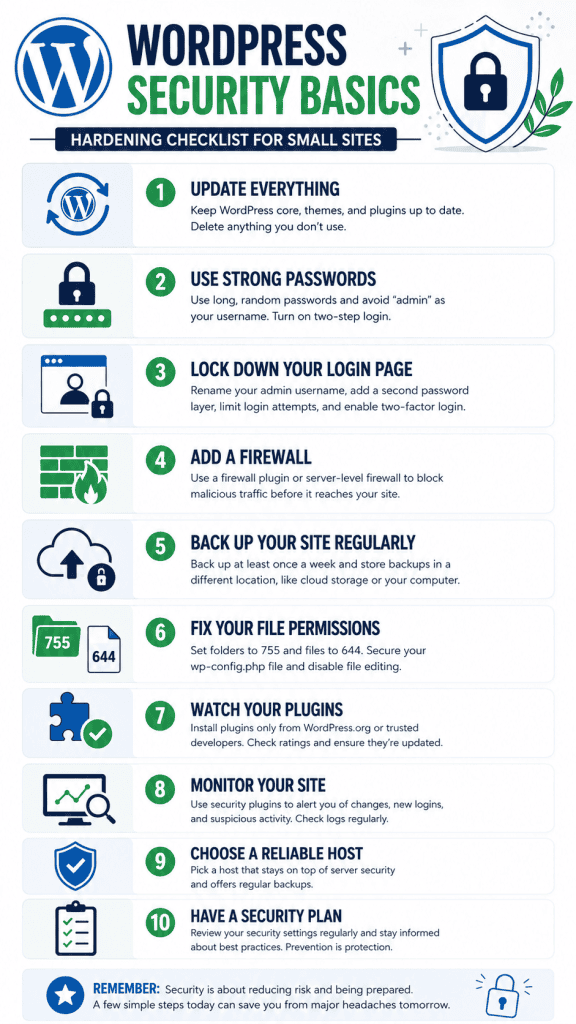
Update Everything.
Install new versions of WordPress core immediately. Older versions are known to have vulnerabilities. Which by definition means people know about them. Same thing for plugins and themes! If you don’t use a plugin, delete it. If a plugin you don’t use is installed on your site, it’s basically an invitation. Go ahead and clean your house.
Use Strong Passwords
A weak password is like leaving your front entrance unlocked. Use long, random passwords for your admin account. Don’t use “admin” as your username. Change it to something harder to guess. Turn on two-step login, too. Even if someone gets your password, they still can’t get in without that second step.
Lock Down Your Login Page
Bots hit your WordPress login page every single day. Here’s what helps:
- Rename your admin username to something unique
- Add a second password layer to your wp-admin folder through your hosting panel
- Limit login attempts with a security plugin
- Turn on two-factor login
Plugins like Wordfence or Shield Security handle most of this for you.
Add a Firewall
Firewalls prevent bad traffic from reaching your site. There are firewall plugins and server-level firewalls. Either will help. iThemes Security and All in One WP Security both offer solid firewall options. Services like Cloudflare filter traffic before it reaches your server.
Back Up Your Site Regularly
Backups are your safety net. Something goes wrong, and you want a nice, clean copy you can restore. Make sure you’re automatically backing up your site at least once a week. Keep those backups in a different location from your hosting account. If your server goes down, a backup stored on that server won’t help you. Upload them to cloud storage. Or save them on a drive on your computer.
Fix Your File Permissions
File permissions determine who can read or modify the files on your site. Set these permissions too loosely, and hackers can add their malicious code. Here’s how file permissions should look:
- Folders set to 755
- Files set to 644
- Your wp-config.php file gets the strictest limits
Also, turn off file editing in your WordPress dashboard. Hackers love that editor if they break into your admin area. Add one line to your wp-config.php file, and it’s gone.
Watch Your Plugins
Only grab plugins from WordPress.org or trusted developers. Free plugins from random sites can carry malware. It’s not worth the risk. Check plugin ratings and how recently each one got updated. An old plugin untouched for two years is a red flag. Don’t install it.
Monitor Your Site
Set up some monitoring, so you know when things change. Security plugins alert you to file changes, new logins, and strange activity. Logs show you what happened and when. Even basic server logs help you spot an attack early. That early warning can save you hours of cleanup work.